
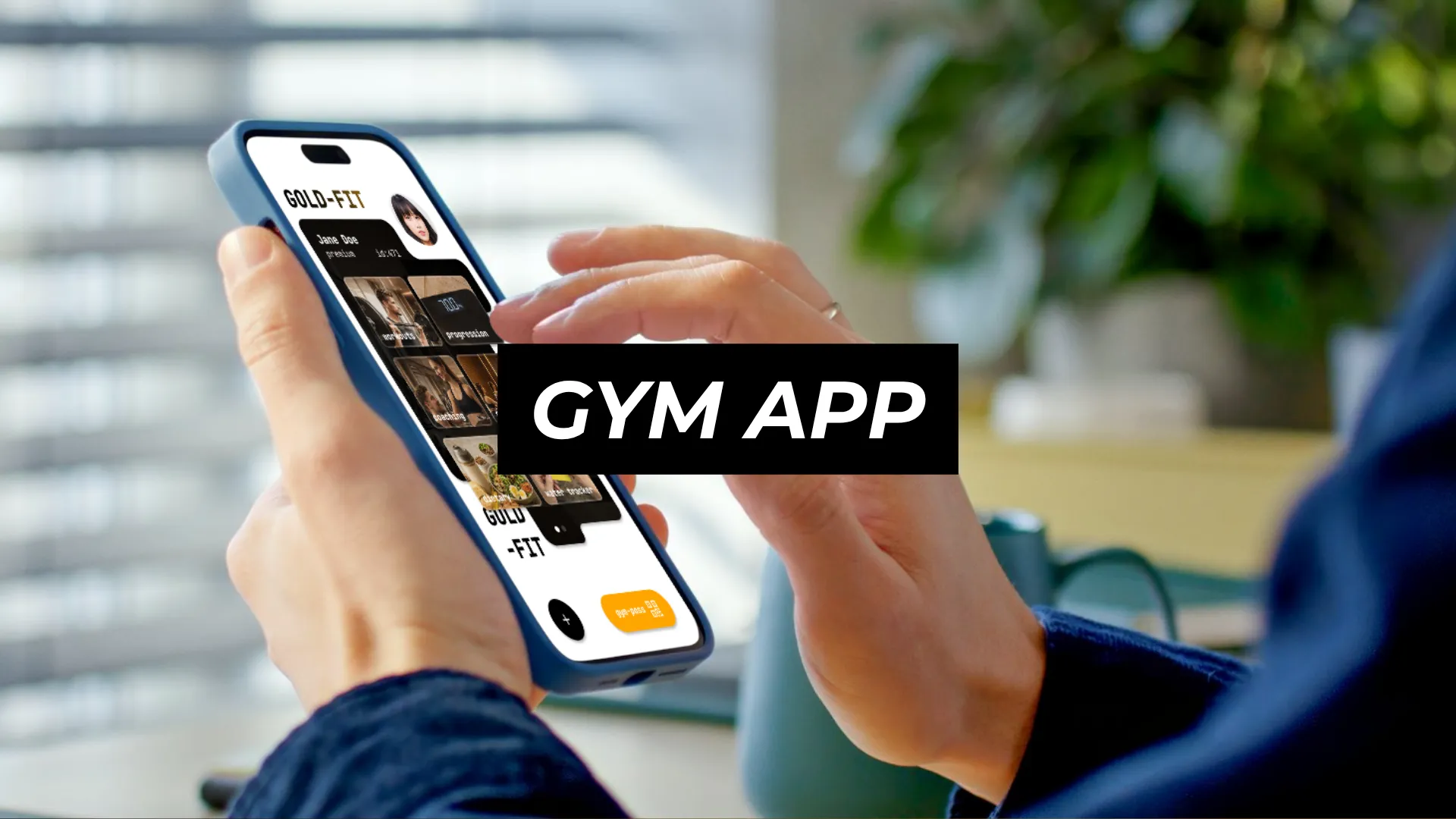
Made with Figma
PRODUCT: Fitness App Redesign
DEVELOPER: Trinh Nguyen
ROLE: PRODUCT DESIGNER 2026

Gold Fit is a redesign concept for a mobile app of a local boutique gym.
The existing app is functional but visually outdated: it does not reflect the premium atmosphere of the physical space. This redesign closes that gap by treating the app as part of the brand experience, not just a utility.
The gym operates as a modern, high-end fitness club. Members enter the building by scanning a personal QR code. The facility is new, well-equipped, and designed to feel premium. The problem is that the app undercuts that impression. It looks and feels like a generic white-label gym tool, not a branded touchpoint for a boutique fitness experience. It feels like it was created by someone who doesn't know UI/UX design.
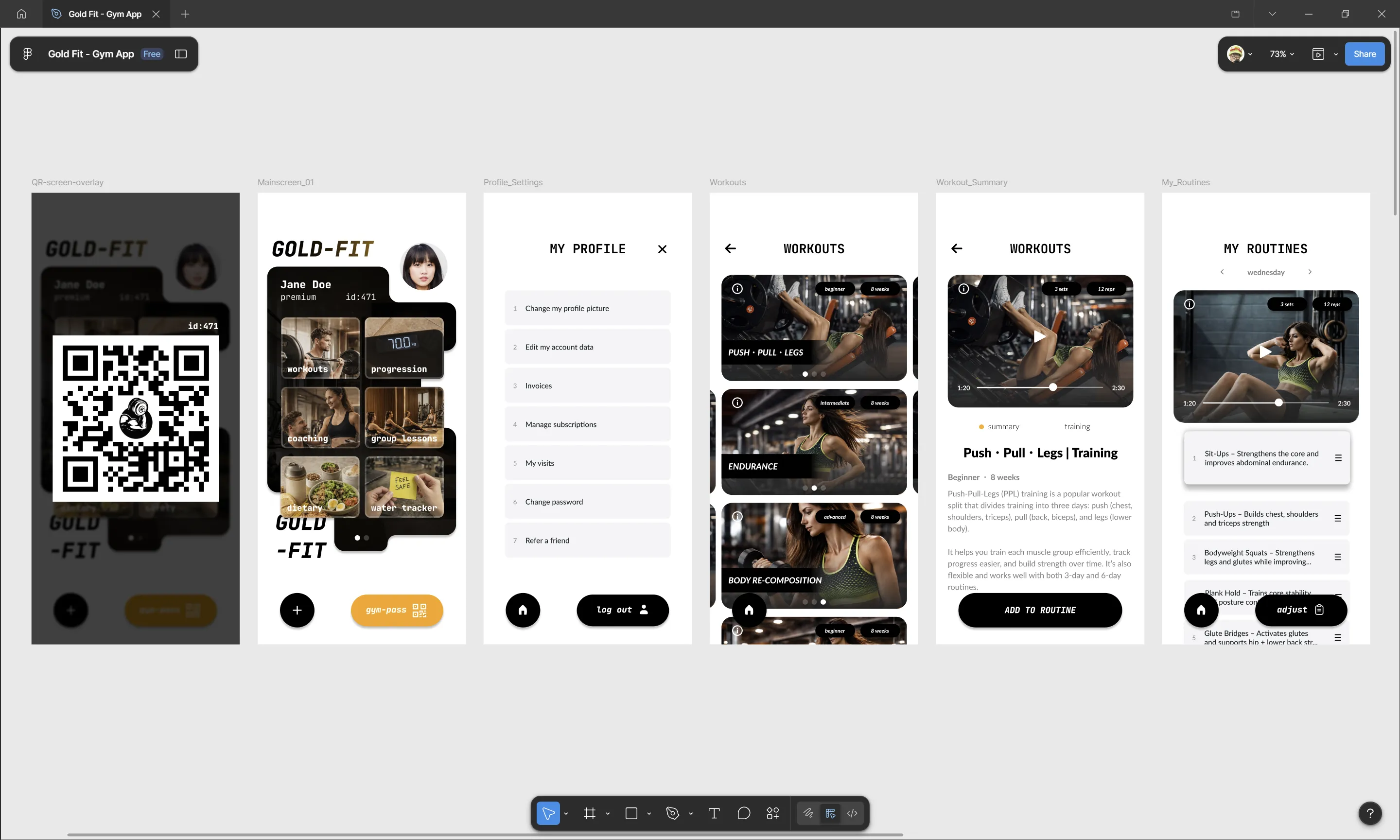
The redesign, branded as Gold Fit, reimagines the app around one core idea: every screen should reinforce the feeling that the member has VIP access to a premium club....
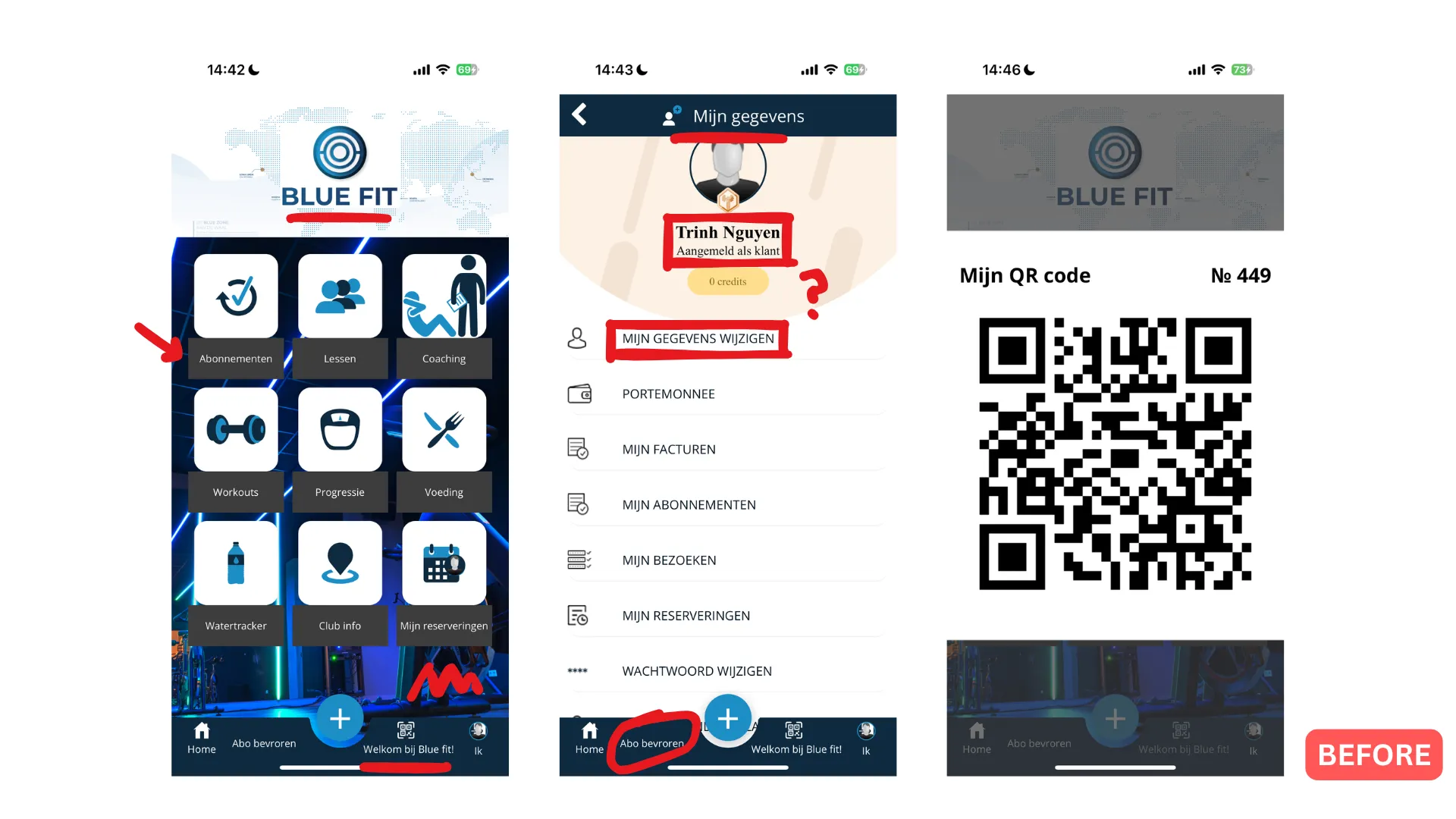
The current app works. Members can check in with a QR code, view their body composition data, browse workouts, book classes, and manage their profile. But the experience is visually weak in several specific ways:
Visual identity
• overall the app doesn't adhere to a specific design style. The lack of thought behind margin/spacing/whitespace, color theory and positioning of text and image elements, makes this app look low quality
• background images are blurred team photos or neon gym shots used as wallpaper rather than deliberate design elements. They add visual noise without adding clarity
• typography is functional but lacks hierarchy. Headers, body text, and button labels blend together
Information architecture
• the information overall isn't organized, this is especially noticable when looking at the progression screens, where users can see the data for their weight and other attributes like bodyfat
Interaction quality
• the QR entry screen is buried behind navigation rather than being the fastest thing to reach. For a gym where QR check-in is the primary entry mechanism, this is a missed opportunity. We should make it easy and distinct
Perception gap
• the core issue is not that the app is broken. It is that the app communicates "budget gym software" while the physical space communicates "premium fitness club." That mismatch weakens the brand at the exact moment a member interacts with it most, before and after every visit
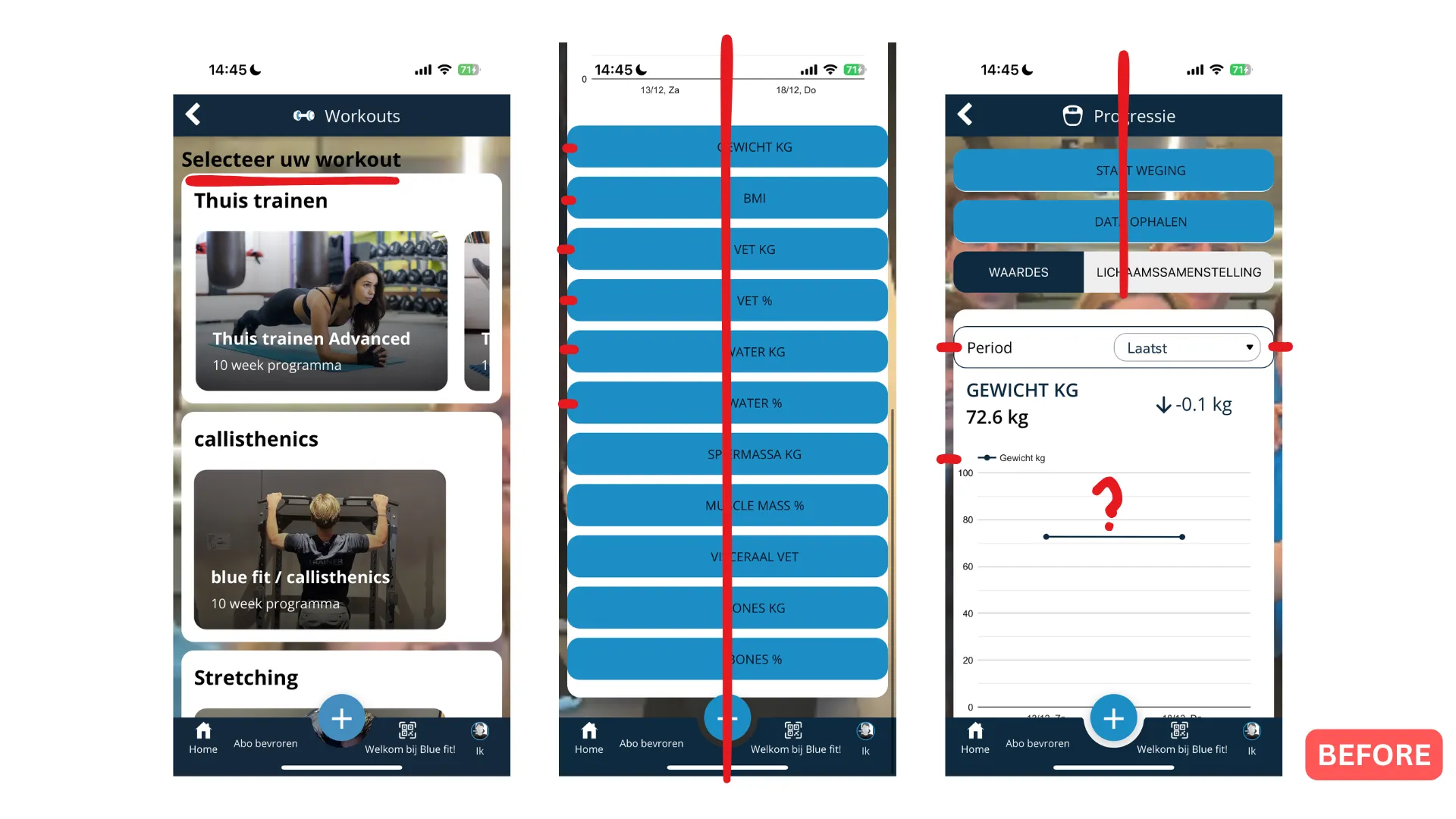
The redesign targets the real member base of a boutique gym, not fictional personas. These are workflow groups defined by how they actually use the app. The main goal is to make it a better experience, worthy of the brand.
User group
Typical context
Main friction in the current app
What the redesign changes
Daily check-in members
Arrive at the gym, need to scan in quickly, and want to feel recognised
QR gym-pass button is hidden in the navbar. It doesn't feel special, although it is the thing every user interacts with
QR gym-pass has its own dedicated button with a gold-ish color, highlighting it from the other UI elements. Making it feel special
Progress trackers
Check body composition trends after weigh-ins, compare metrics over time
All metrics are presented as identical buttons with no summary or visual hierarchy
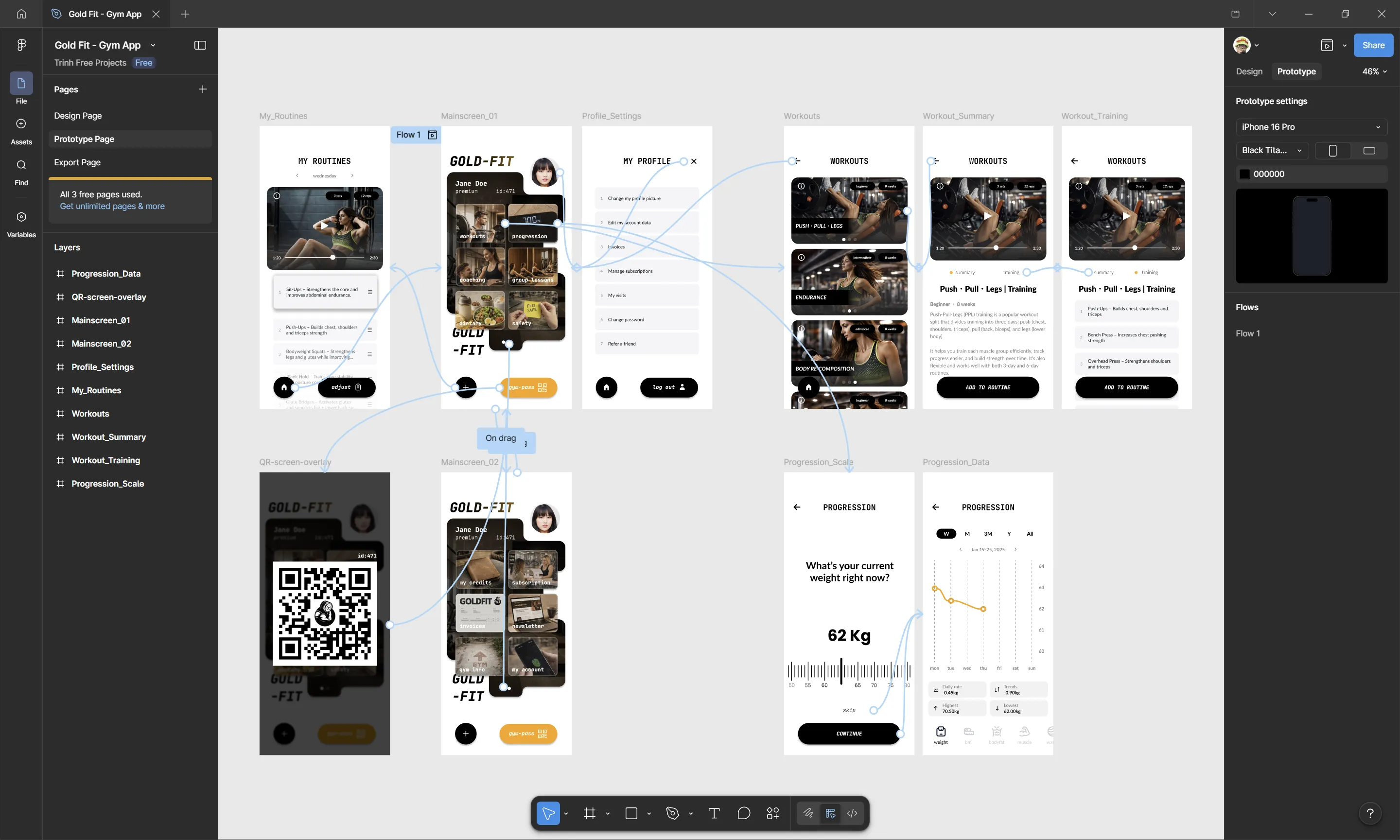
Progression opens with a clear summary chart. Looking visually premium and easy to nagivate
New or casual members
Recently joined or visit occasionally; still learning what the gym offers
App doesn't feel premium, gives a bad first impression
Focus on making it look like a premium app, makes users feel part of a VIP boutique gym
The redesign direction came from direct experience as a member, observation of how the current app is used in practice, and comparison with premium fitness app benchmarks.
What direct usage revealed
• the UI feels cheap, it doesn't feel premium. It lacks hierarchy and style consistency.
• the QR check-in is the single most frequent interaction. Members pull the app out at the entrance door. That moment should feel fast and premium, like presenting a membership card at a private club.
What I would do differently
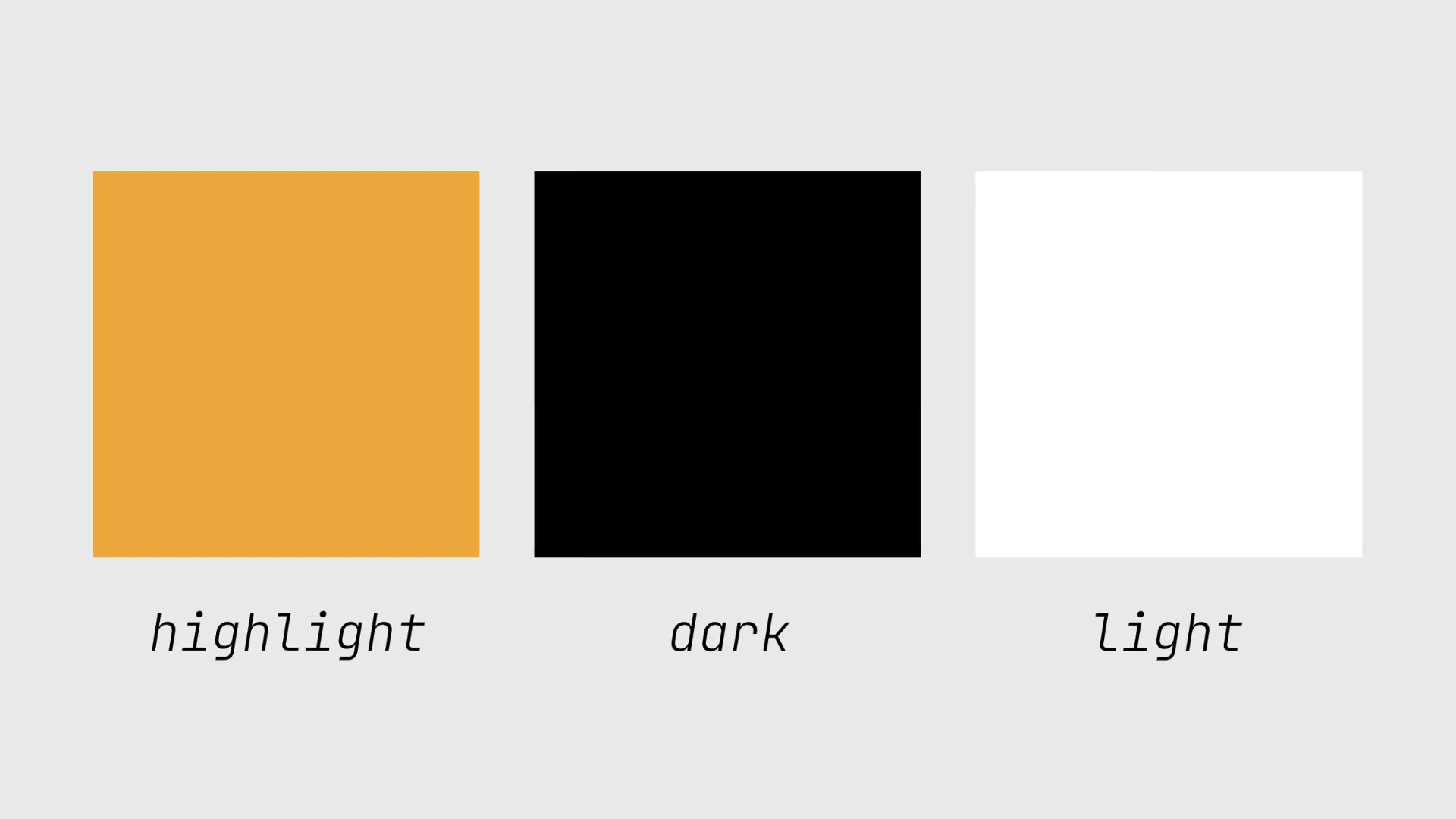
• use a key highlight color to indicate important buttons. This will make them contrast from the less important UI elements.
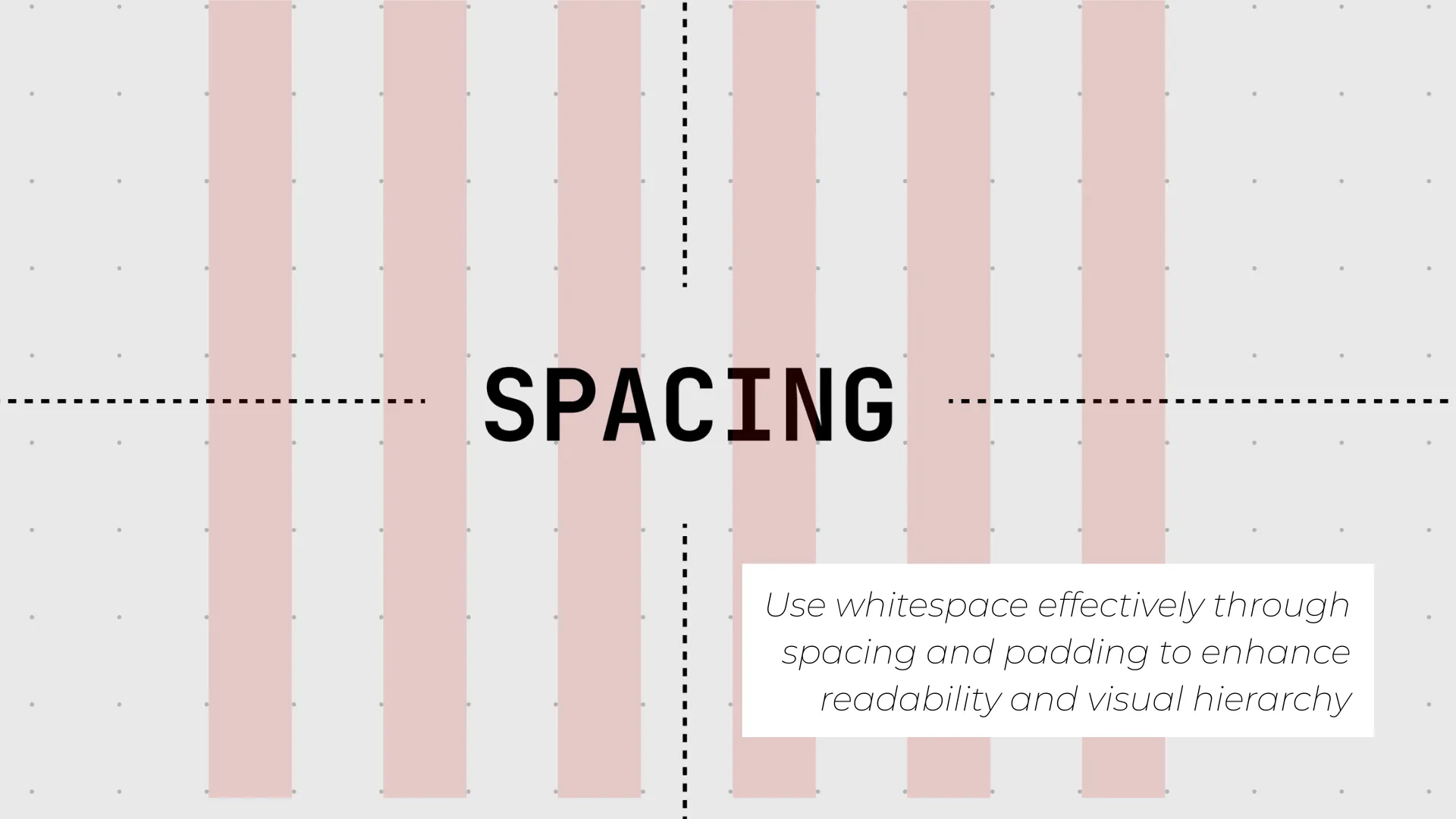
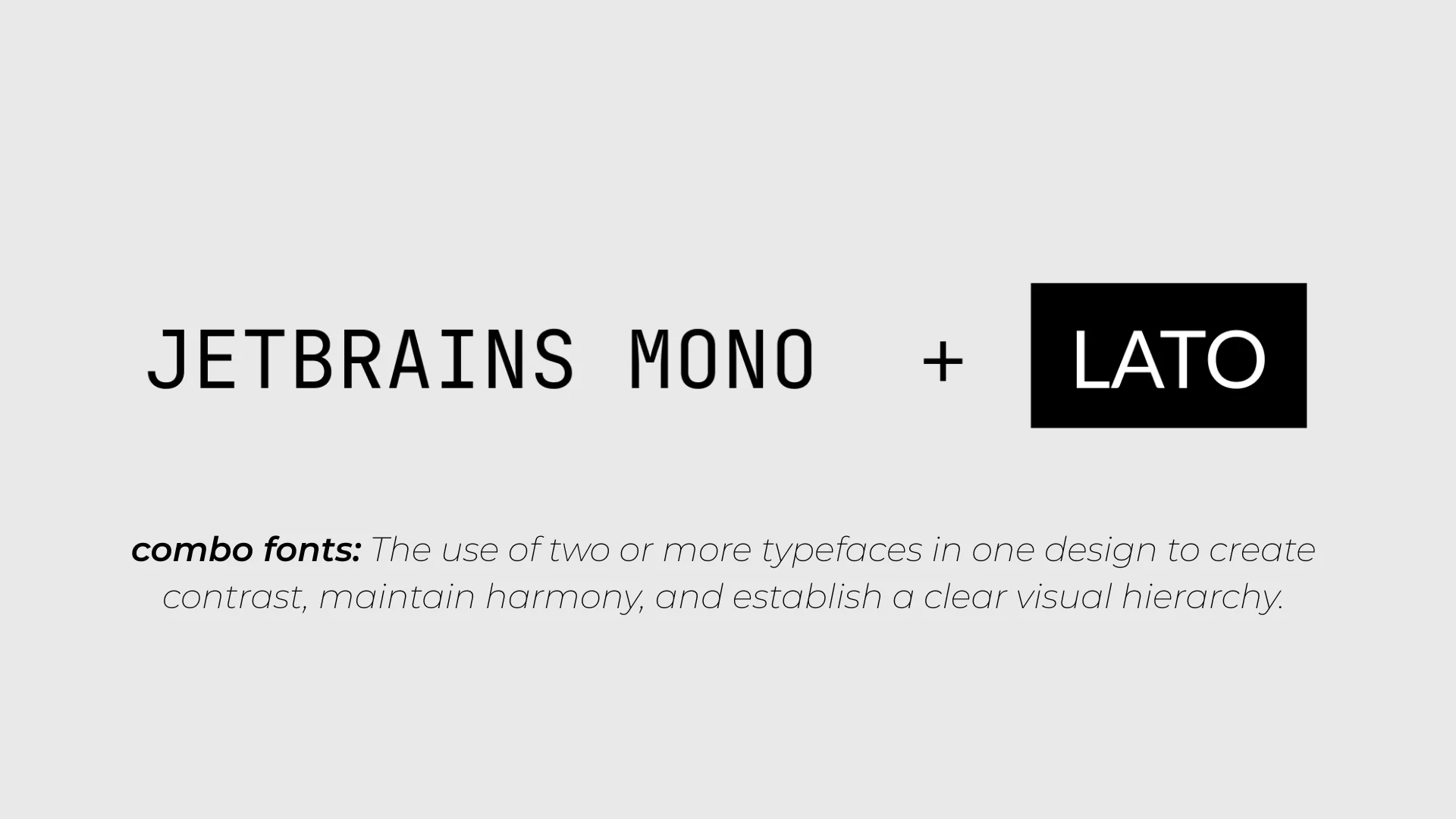
• make sure design style, such as typography, corner rounding, color, margin and spacing etc. Are coherent across the app.
• follow the principle of less is more. While keeping the core information organized.
The key difference between a functional gym app and a premium one is not the amount of features it has, but that it feels like an experience. It is like how for supercars, they optimize for the tiny details to make it look perfect.
The redesign goals were:
• keep style consistency across the app
• make every screen feel like it belongs to a premium fitness brand, not a generic gym
• introduce a premium/gold colour language that positions the gym as a boutique club
• keep every existing feature accessible while improving hierarchy and flow
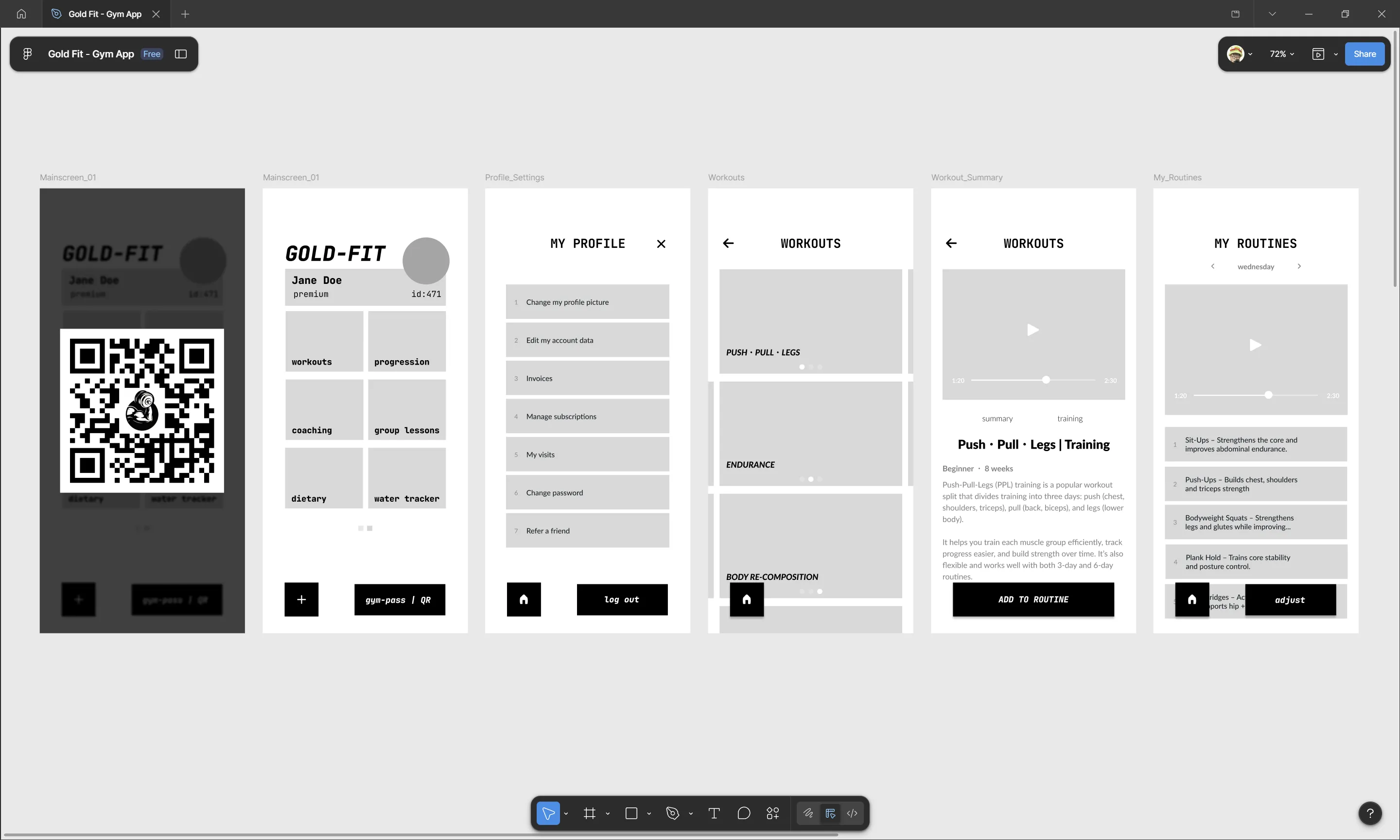
The redesign progressed through three stages visible in the Figma file:
Wireframe
The wireframe established the screen inventory and navigation structure. Key decisions made at this stage:
• think about content and spacing to create better visual hierarchy, keeping it clean and organized
• cleaner experience, no need for the navbar at the bottom. Some buttons were obsolete
• from 3x3 grid to 2x3 grid, most important aspects in the first screen and the less important ones hidden behind a finger swipe interaction. This keeps it clean and organized
High-fidelity UI
The high-fidelity pass applied the gold visual language and resolved typography, spacing, and component design.
Users can now create their own workout or use a pre-made workout from the trainers and customize them. Each exercise has a video and description of how to do the exercise. Never feel awkward in the gym because you don't know how to do an exercise.
Prototype
In Figma, I connected all the screens, this allowed me to test out the flow before exporting the elements and making a real working application.
The redesign replaces the chaotic layout and visual elements with a clean background and warm gold accents. This is the single most impactful change. It immediately shifts the perceived tier of the product from "functional utility" to "members-only experience."
• solid backgrounds reduce visual clutter and let content (photos, data, accent colours) stand out
• gold accents on buttons, highlights, and member badges create a consistent luxury signal. Only used for the QR code and a slight gold text gradient for the gym title text. By having it only there, it makes them feel special and unique. If we would had changed all buttons to be gold, it would feel cheap
• elements are given more room to breathe with clearer size hierarchy and spacing between each other
First impression matters.
Aspect
Current app
Redesign
First impression
Generic app that feels like it was made by someone without design principles
Feels like a premium app
QR check-in
Buried in navigation, utility feel
Prominent, fast, feels like flashing a VIP pass
General Screen layout
Cluttered, chaotic
Organized, easy on the eye
For a gym positioning itself as boutique or premium, the app is part of the product, not just a utility. A premium-feeling app supports higher perceived value, which supports:
• stronger member retention → the app reinforces the decision to pay for a premium gym
• easier upselling of coaching, group classes, and dietary features → they look worth exploring
• better word-of-mouth → members are more likely to show an app that looks impressive
• stronger brand coherence → the digital experience matches the physical space
This does not require new features. The same QR check-in, the same workout data, the same class schedule, and the same body composition tracking can power a completely different member experience through UI and UX changes alone. It is like presenting it in a new fancy packaging.
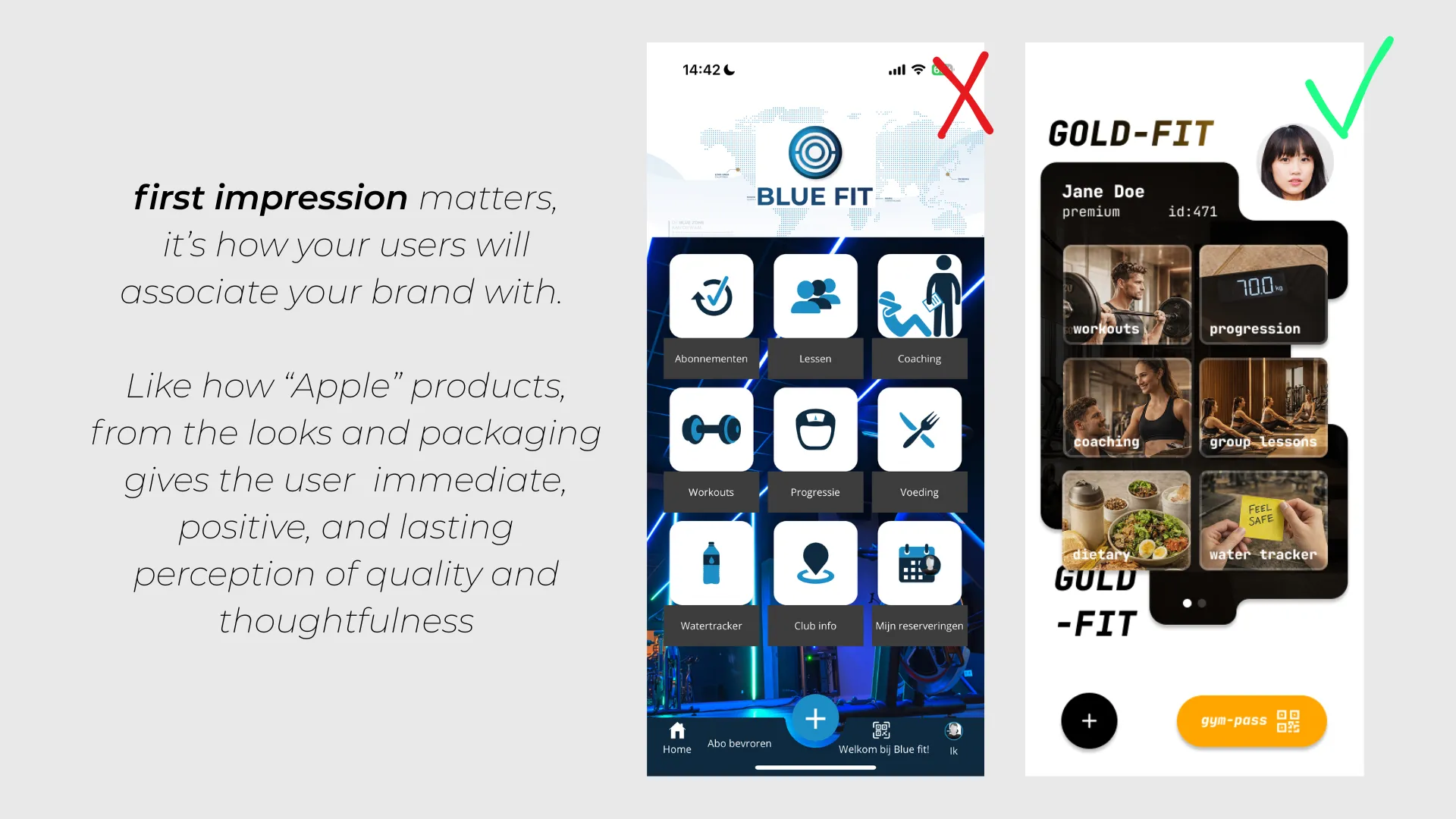
The biggest lesson is that premium is a design decision, not a feature list. The current app and the redesign offer the same core functionality. The difference is that one presents it like software and the other presents it like a brand.
The second takeaway is that the most frequent interaction deserves the most design attention. For this gym, that is the QR check-in. Making that moment feel fast and elevated has outsized impact on how the member perceives the entire app.
The third takeaway is that data presentation is a UX problem, not a data problem. The progression screen has the same metrics in both versions. The redesign just answers "how am I doing?" before asking "which number do you want?" That changes the experience from clinical to motivating.
The redesign demonstrates that a visual and structural upgrade, without any new backend work, can move an app from functional utility to premium brand touchpoint. For a gym that already feels premium in person, the app should match that same vibe as well.